
Network & Wi-Fi
Home Network & Wi-Fi Installation in Portland & Hillsboro
Wi-Fi that reaches the far bedroom, the office and the patio, with no dead zones and no buffering. We design your network around your floor plan, wire access points where the signal is needed, and keep it fast and secure with ongoing support.
★★★★★5.0 from 19 Google reviews20 years installing in the Portland metroOregon CCB# 201122
What we do
Whole-home Wi-Fi, designed around your floor plan
Most Wi-Fi problems come from one router in one corner trying to cover a whole house. The far bedroom gets one bar, the patio gets none, and the TV buffers right when the movie gets good.
We design a network around how your house is laid out: wired access points where they're needed, a solid router and switches in the rack, and separate networks for family, guests and smart home devices. It works for cozy homes and busy offices alike, and our commitment doesn't stop at installation. Ongoing support keeps the network fast and secure.
A good network is also what every other system runs on, from streaming audio to smart home control. Start with a free quote, or meet us first.
A coverage plan
Access point locations mapped to your floor plan, floors and walls.
Wired access points
Ceiling-mounted access points wired back to the network for even coverage.
Router and switches
Araknis or eero networking, set up and labeled in the rack.
Ethernet where it counts
Wired connections to TVs, desks and consoles. See home wiring.
Outdoor coverage
Outdoor access points for the patio, the pool and the backyard system.
Separate networks
Family, guests and smart home devices each on their own network.
Secure setup
Strong passwords, current firmware and a network built to stay private.
Ongoing support
We stick around after the install to keep it fast and secure.
Three kinds of network job
Whole-home Wi-Fi, the network rack, or the backyard
Every network is different. Here's where most of our work lands.
“Low-voltage wiring, camera installs, access points, TV mounting, and related A/V work.”Colin, Rose City Tech, on hiring R&D
Wired access points for whole-home Wi-Fi
Instead of one router straining to reach every room, access points in the ceilings each cover their part of the house. Wired back to the network, they hand your phone off from room to room without a drop.
- Gear
- Araknis access points, or eero for simpler homes
- Placement
- Planned around rooms, floors and walls
- Wiring
- Ethernet to each access point
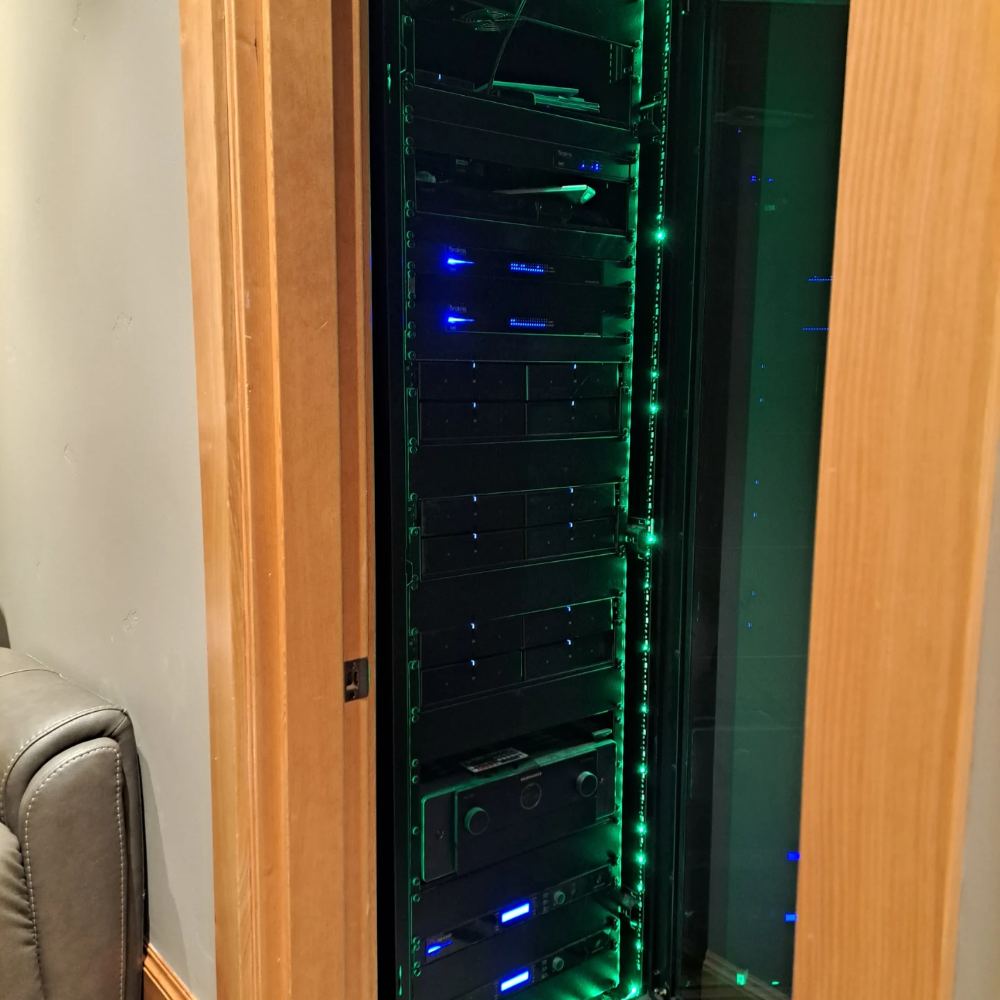
A network rack that's easy to service
The router, switches and patch panel live in one organized rack, labeled so any problem is easy to find. In the Dream Theater home, the same rack runs the theater, the whole-house audio and the data network.
- In the rack
- Router, switches, patch panel
- Shared with
- Theater electronics and whole-house audio
- Built for
- Service, cooling and growth
Streaming on the patio. A camera at the gate. Wi-Fi in the shop.Outdoor Wi-Fi
Wi-Fi for the patio, pool and shop
Outdoor-rated access points carry the network past the back door, so outdoor speakers stream, cameras stay connected, and a detached garage or shop gets real coverage.
- Gear
- Outdoor-rated access points
- Covers
- Patios, pools, yards, detached buildings
- Powers
- Outdoor audio, cameras, smart devices
Why Wi-Fi drops
How whole-home Wi-Fi gets rid of dead zones
One router in the corner
The internet comes in at one corner of the house, so that's where the router ends up. Walk to the far bedroom or the patio and the signal fades through every wall.
Wired access points go in the ceilings where people actually are. Each one covers its part of the house, and your phone hands off between them as you walk.
An outdoor access point carries the network out to the patio, so the speakers stream and the cameras stay online.
Then we split it up: one network for the family, one for guests, one for smart home devices, all fast and kept private.
Our process
How home network installation works with R&D
Walk the house
We find the dead zones, see where the internet comes in, and ask what you need online and where.
Design the network
Access point spots, router and switch choices, and a plan for each network, at a few price points.
Wire and mount
Ethernet run to each access point and the key devices, and the gear set up in the rack.
Test every room
We walk the house and check speeds room by room before we call it done.
Ongoing support
Firmware, tweaks and help when something changes, so it stays fast and secure.
Featured project
The network behind a Savant smart home
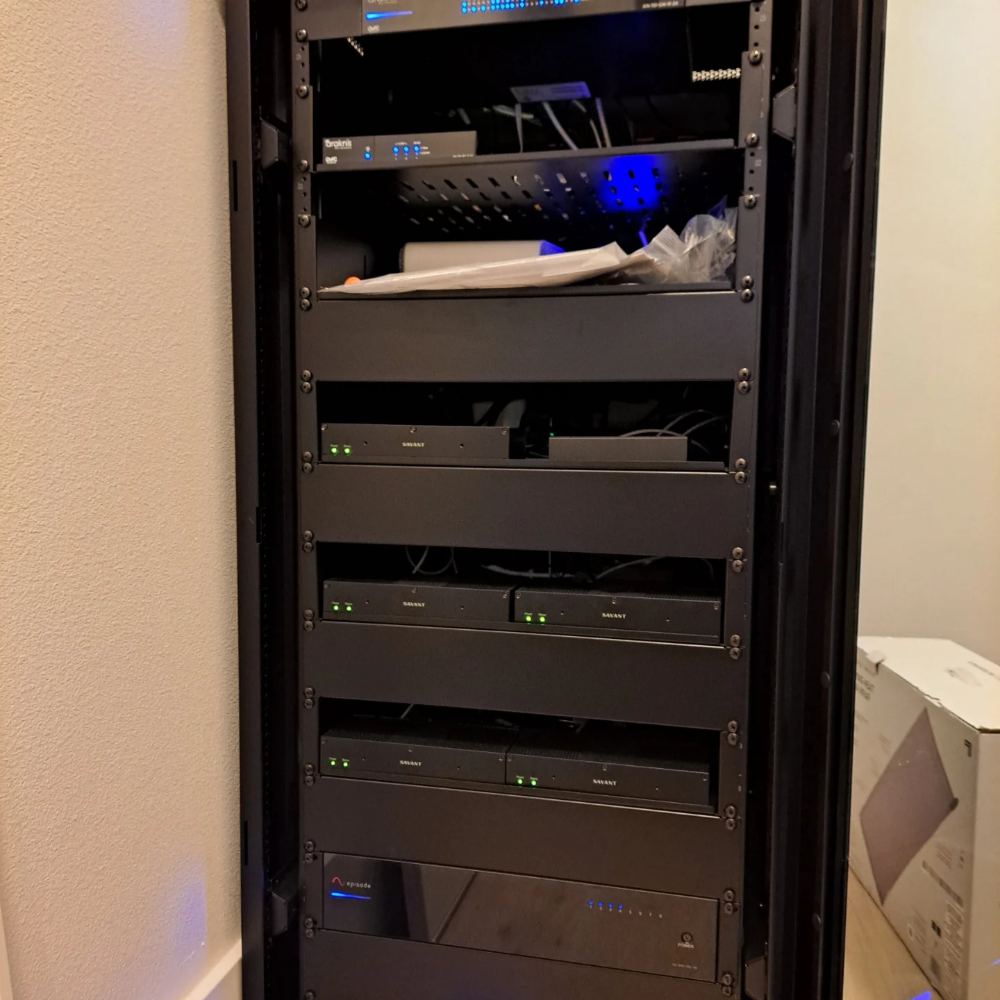
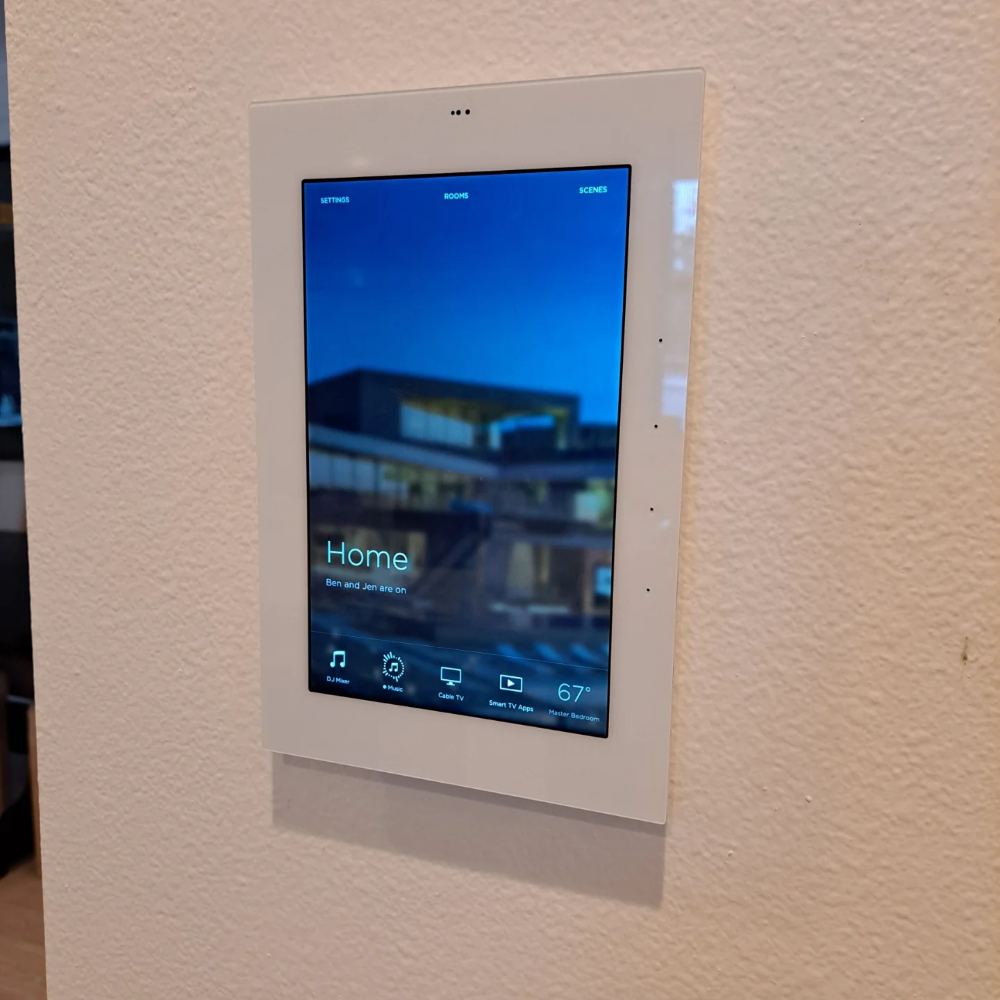
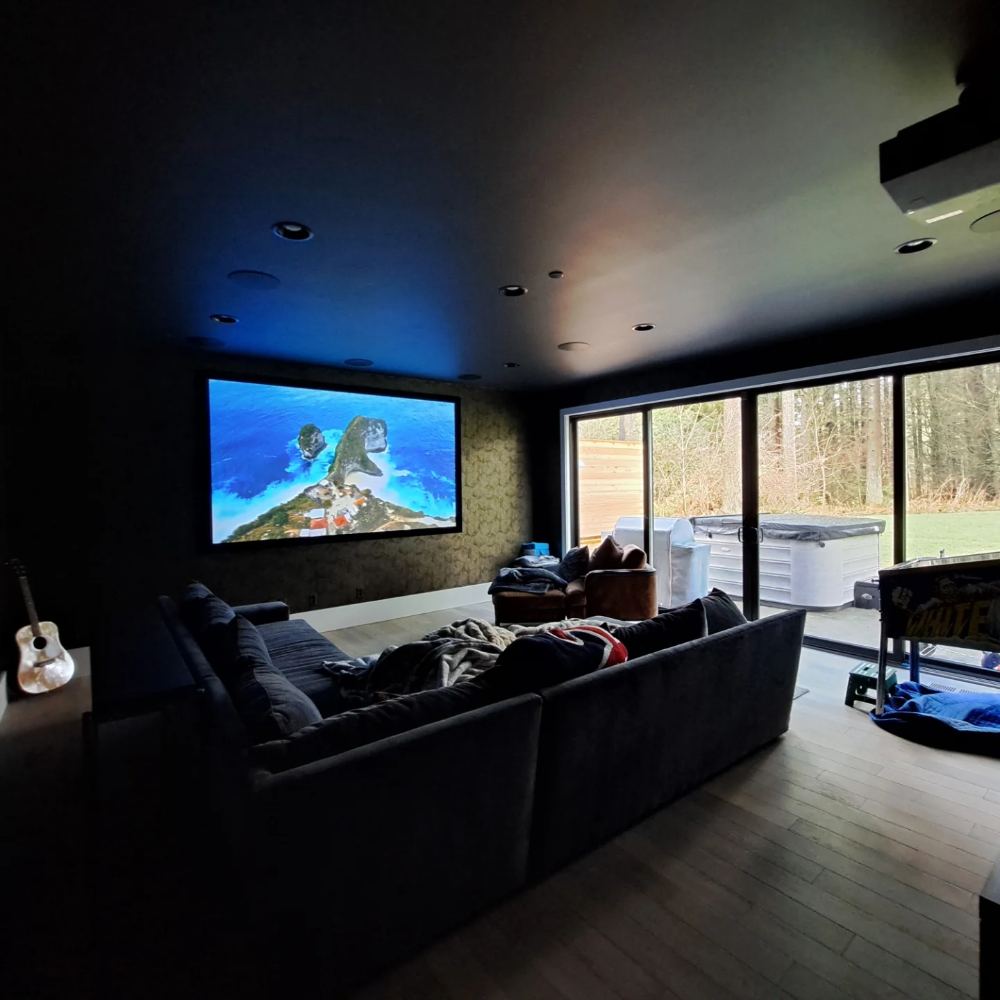
Eight audio zones, a 7.2 theater, landscape audio, touch panels, thermostats and a smart lock all depend on one network in this Portland-area home. The Araknis networking sits at the top of the rack, organized and ventilated with everything else, so the system is easy to service and expand.
- Network
- Araknis, in the main rack
- Carries
- 8 audio zones, theater, panels, climate, lock
- Control
- Savant touch panels, remote and app
Gear
Networking brands we install, and what runs on them
We recommend the network gear that fits your house and budget. See every brand we carry.
 Routers, switches & APs
 Mesh Wi-Fi
 Cameras
 Doorbells
 Smart home
 Streaming audio
 Lighting & shades
 Control
 Smart TVs
 Smart TVs
 TVs & projectors
 TVs
Reviews
What clients and contractors say
R&D A/V has been great to work with. I've hired and worked alongside them with Rose City Tech for low-voltage wiring, camera installs, access points, TV mounting, and related A/V work. R&D is reliable, knowledgeable, and do clean professional work.Colin, Rose City Tech, Google review
Reasonably priced for a cat5e retrofit, communication was clear and emails returned pre/post install in a timely fashion. Highly recommended!Richard Fancher, Google review
Dan and his team are great. I've had him install/uninstall/Install from 3 different homes and they've always been responsive, quick and professional. Will always use R&D, couldn't be happier.Edward Coon, Google review
R+D are great. Clear communication, showed up right on time and the installation looks great. Highly recommend.Matt Curtis, Google review
Why is my Wi-Fi slow in some rooms?
Usually because one router is trying to cover the whole house from a corner. Distance, walls, floors and appliances all weaken the signal, so far rooms get dead spots and buffering. Wired access points placed around the house fix that.
Mesh Wi-Fi or wired access points?
Mesh systems like eero work well in many homes and are easy to set up. Larger homes, or homes with lots of streaming and smart devices, do best with access points wired back to the network, like Araknis. We install both and recommend whichever fits your house.
Do access points need a cable run?
For the best performance, yes. We run Ethernet to each access point, either during construction or by fishing cable through the walls and ceilings of a finished home. More on home wiring.
Can you get Wi-Fi to the backyard or a detached shop?
Yes. Outdoor-rated access points cover patios, pools and yards, and a wired or wireless link can bring the network out to a detached garage or shop.
Can you set up a separate guest network?
Yes. We can give guests their own network and keep smart home devices on another, so your main network stays fast and private.
Do you offer ongoing support?
Yes. Our commitment doesn't stop at installation. We provide ongoing support to keep your network fast and secure.
How much does home Wi-Fi installation cost?
It depends on the size and layout of the house, how many access points it needs, and whether cable has to be run. Quotes are free.
What areas do you serve?
We're based in Hillsboro and install home networks and Wi-Fi in Hillsboro, Beaverton, Portland and across the Portland metro.
Other services
More ways we can help around the house
Custom Home Theater
Dedicated theaters, media rooms and Dolby Atmos.
View service 02Multi-Room Audio
Different music in every room, each at its own volume.
View service 03Universal Remote
One remote that runs the whole system.
View service 04Outdoor Audio/Video
Speakers and screens for the patio, pool and backyard.
View service 05Home Wiring
Structured wiring, all run back to one panel.
View service 06Control Keypads
Wall keypads and touchscreens for every room.
View service 08Lutron Automated Lighting
Scenes, schedules, and lights that follow the sun.
View service 09Lutron Automated Shades
Quiet 25 dB motors that open and close with the sun.
View service 10Surveillance Cameras
Wired cameras on every side of the house, day and night.
View serviceFree quote
Get a free Wi-Fi and network quote
Tell us where the Wi-Fi gives out. We'll come walk the house, find the dead zones and give you a straight answer on fixing them.
Home network and Wi-Fi installation in Hillsboro, Beaverton, Portland and the greater Portland metro.